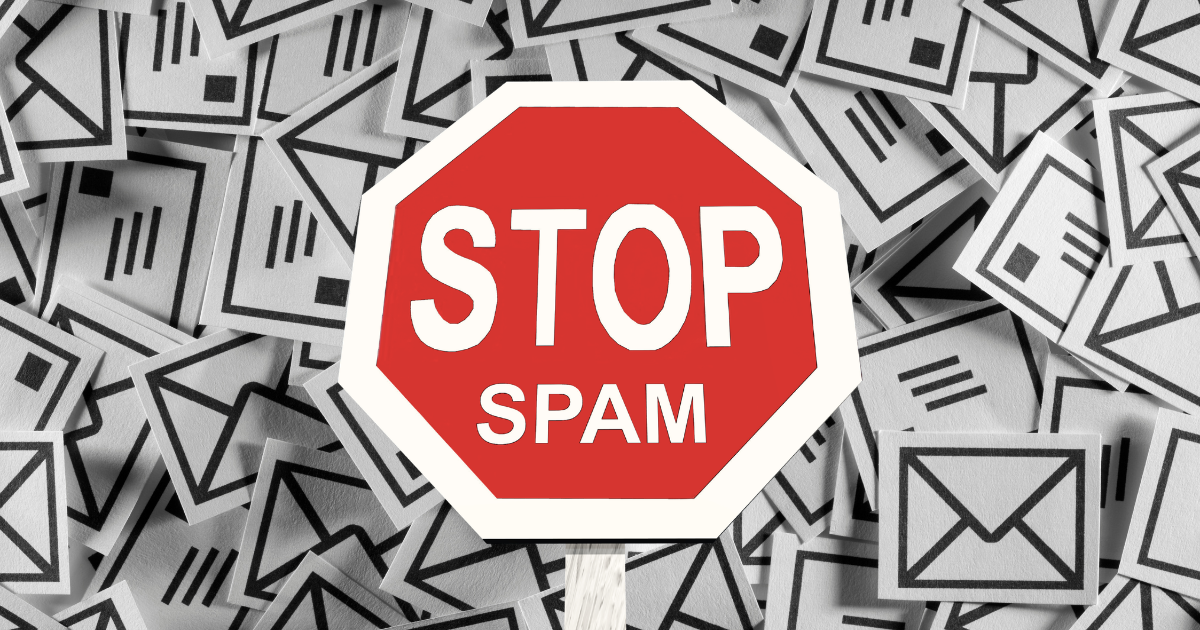
You add a CAPTCHA to your contact form, test it and see that it works. Visitors must tick a box, complete a challenge or wait while their browser is checked. It seems reasonable to expect the spam to stop.
Then another message arrives 🤦
The sender claims to have found problems with your website. They offer SEO services, link building, app development, advertising, guest posts or a redesign you never asked for. The wording is generic, the name looks invented and the message contains a link or a request to continue the conversation elsewhere.
This does not necessarily mean your CAPTCHA is broken. It often means the submission was made by a real person.
CAPTCHAs are mainly designed to identify and stop automated activity. A person who visits your website and manually completes the form can pass the same checks as a genuine customer. That is why website owners can have strong bot protection and still receive persistent contact form spam.
To deal with the problem properly, it helps to separate automated spam from manual contact form spam and use the right protection for each.
What is manual contact form spam?
Manual contact form spam is an unwanted form submission entered by a person rather than sent entirely by an automated bot.
The spammer opens your contact page, fills in the required fields, completes any CAPTCHA challenge and presses the submit button. From the form’s point of view, the interaction can look legitimate. The visitor used a normal browser, typed or pasted text into the fields and completed the expected checks.
These submissions are often commercial rather than openly malicious. Common examples include offers for SEO, link building, website development, guest posts, paid advertising, outsourced staffing, loans or cryptocurrency.
Some senders submit these messages themselves. Others use low-cost workers, outsourced sales teams or a mixture of automation and human input. A system may find contact pages and prepare the messages automatically, while a person handles the CAPTCHA and final submission.
The result is the same for the website owner. The message gets through because the sender has behaved enough like a normal visitor to pass a test intended to stop bots.
Why CAPTCHAs do not stop human spammers
A CAPTCHA can be working exactly as intended while manual spam continues to reach your inbox.
The basic problem is simple. A CAPTCHA asks whether the visitor appears to be human. A manual spammer is human, so they pass.
This limitation is well recognised in anti-spam guidance. Akismet notes that manual contact form spam is harder to stop because human spammers can get past measures such as CAPTCHAs.
This does not make CAPTCHAs useless. They remain valuable against scripts that scan websites and submit forms at scale. The mistake is expecting one type of protection to solve every type of spam.
A human can complete the challenge
Image puzzles, tick boxes and browser checks are not barriers to someone who is willing to spend a few seconds on each submission.
Even a more advanced CAPTCHA may only confirm that the visitor’s behaviour resembles normal human behaviour. That is useful when identifying bots, but it does not tell you whether the person has a genuine reason to contact your business.
The message can look plausible
Manual spammers often avoid obvious nonsense. They may mention your domain name, business type or a service shown on your website. Some use a polite opening and a professional sounding signature.
The message may be irrelevant, dishonest or unwanted, but it can still look structurally similar to a real enquiry. A CAPTCHA does not assess whether the content is useful to you.
Names and email addresses are easy to change
Blocking one sender after receiving spam may have little effect. The next message can use a different name, email address or domain.
Some campaigns rotate through free email accounts. Others use many domains that forward replies to the same operation. IP blocking can also be unreliable when people work remotely, use mobile networks or submit messages through shared systems.
Spam operations only need a few replies
A manual campaign does not need every recipient to respond. If the service being sold has a high enough value, a very small response rate can make the activity worthwhile.
That is why these messages continue even when most website owners delete them immediately. Sending a generic proposal through hundreds of contact forms can still produce enough replies to justify the effort.
Signs that a form submission is manual spam
Not every unwanted message is identical, but manual contact form spam tends to follow recognisable patterns.
The opening is often vague. It may start with “Hello website owner”, “I visited your site” or “I hope you are well” without referring to a specific product, page or problem.
The sender may claim to have completed an audit but provide no useful detail. They might say your website has errors, poor rankings or missed opportunities, then ask you to reply for the full report.
Another common sign is a service that has no connection to the purpose of the form. A customer enquiry form for a local tradesperson, charity, shop or training provider may receive offers for mobile apps, casino promotion, guest posting or offshore development.
Repeated wording is particularly useful when identifying manual spam. Names and email addresses may change, but the sales script often stays the same. Phrases such as “increase your website traffic”, “first page of Google”, “high quality backlinks”, “guest post opportunity” or “redesign your website” may appear again and again.
One sign alone is not proof. The strongest pattern is repetition across several submissions, especially when the same phrases appear with different sender details.
The cost of manual contact form spam
A few unwanted emails may seem like a minor annoyance, but the effect grows when forms feed into other business systems.
Every submission has to be checked before it can be deleted. That review is necessary because a real lead might have a weak subject line, poor spelling or an unusual request.
A busy inbox also makes genuine messages less visible. A customer asking for a quote, reporting a problem or trying to book a service can be overlooked among repeated offers for SEO and web development.
Many contact forms create records in a CRM, spreadsheet, help desk or marketing platform. Manual spam can create false leads, trigger notifications and distort conversion reports. It may also start automated workflows intended for genuine prospects.
The real cost is not only the time spent deleting rubbish. It is the possibility of losing real business.
Why adding a harder CAPTCHA is not the full answer
When spam gets through, the first reaction is often to make the challenge more difficult. That may reduce automated spam, but it still does not address the intent of a human sender.
A more demanding challenge can also create problems for genuine visitors. Image puzzles can be frustrating on a small screen. Repeated checks slow down the form. Some challenges are harder for people with visual, cognitive or motor impairments.
Your contact form should protect the website without making legitimate users prove themselves repeatedly.
Instead of relying on an increasingly difficult CAPTCHA, use different controls for different threats. Keep bot protection for automated submissions and add content-based filtering for repeated manual spam.
How blocklist filtering stops manual form spam
Manual spam often changes the sender details while reusing the same offer, wording or subject. That weakness makes blocklist filtering effective.
A blocklist checks the content of a form submission before it is accepted. When a field contains a blocked word or phrase, the form can reject the submission and display an error message.
Suppose your website repeatedly receives messages containing phrases such as:
- “SEO proposal”
- “guest post opportunity”
- “increase your rankings”
- “link building services”
- “website redesign”
- “first page on Google”
The sender may change their name from one submission to the next. They may use a new email address each time. If the sales script still contains a phrase on your blocklist, the submission can be stopped before it reaches your inbox.
This targets what the spammer is saying rather than relying only on who they claim to be.
Stop repeated spam with Blocklist for Forms
Blocklist for Forms is a WordPress plugin designed to stop unwanted submissions containing the words and phrases you choose.
You create a list based on the spam your own website receives. When a submission matches the rules, it is rejected instead of being sent as a new enquiry.
This approach is useful because manual spam varies by website. A phrase that clearly indicates spam for one business might be a genuine customer term for another. A web developer may not want to block “website redesign”, while a restaurant, therapist or electrician may receive that phrase only in unwanted sales messages.
Blocklist for Forms gives you control over those decisions. You can add specific words or phrases, set a custom error message and use precise matching options such as case-sensitive or whole-word matching. It is built to work with popular WordPress form plugins while remaining straightforward to configure.
Instead of adding more friction for every visitor, you can target the repeated language used by the people causing the problem.
How to build an effective form spam blocklist
A good blocklist should be based on evidence from your own submissions. Do not begin by blocking a huge collection of broad marketing words. That can reject genuine enquiries and make the form harder to use.
Start with the messages already in your inbox.
Look for repeated phrases
Compare several spam submissions and highlight wording that appears more than once.
Longer phrases are usually safer than single words. Blocking “marketing” may be too broad for many businesses. Blocking “digital marketing proposal for your website” is far less likely to affect a genuine customer.
Focus on the sales script
Names, email addresses and company names can change quickly. The core pitch often changes less frequently.
Look for phrases describing the offer, such as backlink packages, guest posting, search engine rankings, app development or outsourced staffing.
Use precise matching
Whole-word matching can prevent accidental blocks. Case-sensitive matching can also be useful when a campaign repeatedly uses a distinctive spelling or format.
More precise rules reduce false positives and make it safer to build a useful list.
Be careful with common words
Avoid blocking terms that genuine customers are likely to use.
Words such as “price”, “help”, “website”, “quote”, “service” and “marketing” may appear in legitimate messages. A useful blocklist is specific enough to catch repeated spam without becoming a barrier to normal enquiries.
Review blocked terms regularly
Manual spammers change their wording. Your blocklist should change with them.
When a new spam pattern gets through, add the distinctive phrase to your list. When a term causes a false positive or is no longer useful, remove or refine it.
This turns the blocklist into a practical record of the campaigns targeting your website.
CAPTCHA and blocklists solve different problems
It is tempting to compare CAPTCHA protection and blocklist filtering as though one must replace the other. In practice, they work best as separate layers.
A CAPTCHA helps stop automated tools that submit forms without behaving like normal visitors.
A honeypot can catch basic bots that fill hidden fields.
Rate limiting can reduce repeated submissions from the same source over a short period.
Server-side validation makes sure required fields and expected formats are checked properly.
A blocklist stops submissions containing known unwanted content, including messages entered by people who can pass a CAPTCHA.
For many WordPress sites, a sensible setup is to keep a lightweight bot check, add honeypot protection where available and use Blocklist for Forms to reject repeated manual spam phrases. Keep WordPress and form plugins updated, review new spam patterns and test your form after changing any rules.
This protects the form without making it unnecessarily difficult for genuine visitors.
What happens when a blocked phrase is detected?
When a visitor submits a form, the plugin checks the relevant content against your list.
If there is no match, the form continues normally.
If a blocked word or phrase is found, the submission is stopped and the visitor sees the error message you have configured. The unwanted message does not need to reach your inbox, CRM or notification systems.
That immediate rejection matters. Filtering spam after delivery still leaves you with the work of reviewing and deleting it. Blocking at the point of submission prevents much of the clutter from being created in the first place.
Will a blocklist stop every spam submission?
No single anti-spam tool can promise to stop every unwanted message.
A spammer may rewrite the message completely or send a pitch that contains none of your blocked phrases. A poorly chosen blocklist can also miss variations or create false positives.
The aim is to reduce the repeated, predictable submissions that waste most of your time.
Manual contact form spam is often repetitive. That repetition gives you something concrete to block. As your list improves, the same campaigns become less effective against your forms.
Frequently asked questions
Why am I still getting contact form spam with reCAPTCHA?
The messages may be submitted by real people or by a process that includes human CAPTCHA solving. A CAPTCHA can confirm that a visitor appears human, but it cannot confirm that their message is relevant or welcome.
What is the difference between bot spam and manual spam?
Bot spam is submitted automatically by software. Manual spam is entered or approved by a person. Bots are often faster and easier to identify through behaviour, while manual spam can resemble a normal form submission.
Can I block SEO spam from my WordPress contact form?
Yes. When the messages reuse distinctive words or phrases, a content blocklist can reject them before the form is submitted. Use specific phrases rather than broad terms that genuine customers might use.
Will blocking words affect genuine enquiries?
It can if the terms are too broad. Build the list from confirmed spam, favour longer phrases and use precise matching options. Test every new rule with realistic enquiries.
Is Blocklist for Forms a CAPTCHA plugin?
No. It addresses a different part of the problem. CAPTCHA tools focus mainly on automated activity. Blocklist for Forms checks submissions for the unwanted words and phrases you define, making it useful against repeated manual spam.
Stop treating every spammer like a bot
When a human submits the message, a CAPTCHA has already done its job. It has identified human behaviour.
The failure is not necessarily in the CAPTCHA. The failure is relying on a bot test to judge the purpose and content of a message.
Manual contact form spam needs a different response. Look at the wording that keeps appearing, identify the phrases that genuine customers do not use and block those patterns before the form is accepted.
With Blocklist for Forms, WordPress site owners can build rules around the spam they actually receive. Used alongside CAPTCHA protection, it provides a practical way to stop repeated sales pitches without making every genuine visitor complete a harder challenge.
Your contact form should help potential customers reach you. It should not provide free access to your inbox for every SEO seller, link broker and outsourced sales campaign on the internet.